

According to WiseGuyReports, in 2025, algorithmic trading accounts for approximately 60% of total cryptocurrency trading volume. This shift toward automation isn't just for institutional hedge funds; it is a necessity for anyone trying to navigate the 5-minute and 15-minute Bitcoin Up or Down markets on Polymarket. When you trade these binary outcomes manually, you are competing against sub-second execution speeds and fighting the emotional urge to "revenge trade" after a single loss. Learning how to trade bitcoin up or down markets with the bot changes the dynamic from guessing to executing a statistical edge. By using a dedicated Python script, you can maintain a presence in the market 24/7, capturing small price inefficiencies that disappear before a human can even click a button.
We designed Polymtradebot to bridge the gap between retail speculation and systematic execution. You will learn how to deploy a ready-to-use script that handles everything from automated order placement to real-time risk management. We focus on removing the friction of manual entry while implementing arbitrage strategies that capitalize on price discrepancies between Polymarket and spot exchanges. By the end of this guide, you will have a clear framework for running simulations in paper trading mode and transitioning to live Bitcoin, ETH, or SOL markets with a configuration built for speed and discipline.
Key Takeaways
- Algorithmic trading now drives 60% of crypto volume, making automation essential for high-frequency Polymarket intervals.
- Using a Python script eliminates emotional bias and enables 24/7 execution across 5-minute and 15-minute price prediction markets.
- Effective bot strategies rely on automated arbitrage and strict risk management to protect capital during volatile swings.
- Paper trading mode allows for risk-free strategy testing before committing liquidity to live Bitcoin or SOL markets.
Table of contents
- What Bitcoin Up or Down markets are and why they matter
- Technical requirements for Polymtradebot deployment
- How to trade Bitcoin Up or Down markets with the bot: Step-by-step
- Arbitrage and risk management strategies for automated trading
- 6 mistakes that ruin automated trading results
- Checklist: Verifying your bot configuration before going live
- Conclusion
- FAQ
- Sources
What Bitcoin Up or Down markets are and why they matter
 Identifying market direction helps you set the right automated strategy for consistent gains
Bitcoin Up or Down markets on Polymarket are binary prediction contracts where you trade on price direction over fixed, short-term windows. Unlike traditional spot trading where you profit based on the magnitude of a price move, these markets pay out based on a simple yes/no proposition: will the price of Bitcoin be above $X at exactly 10:05 AM? If you buy "Up" and the price is even one cent above the strike at expiry, your position settles at $1.00. If it’s below, it goes to zero.
The platform offers these cycles for major assets including BTC, ETH, SOL, and XRP, typically organized into 5-minute and 15-minute intervals. Because the expiry is hard-coded into the smart contract, the market resets immediately after each window closes, creating a continuous stream of high-velocity trading opportunities.
The mechanics of Polymarket price predictions
Each market consists of two outcomes (Yes/No or Up/Down) that trade between $0.01 and $0.99. The price reflects the market's aggregate probability of that outcome occurring. For example, if "Bitcoin Up" is trading at $0.55, the market assigns a 55% chance to a price increase by the deadline.
These markets are driven by order book liquidity. You aren't trading against a house; you are trading against other participants. This structure allows for sophisticated price discovery, but it also creates brief inefficiencies. In 2025, K33 Research found that Bitcoin recorded its lowest annual volatility in history, with daily return deviations hitting a record low of 2.24%. In such low-volatility environments, the "Up or Down" markets become highly sensitive to micro-trends, as even a sideways move can decide the fate of a contract.
Advantages of automated execution
Trading these cycles manually is a losing game for most. If you are trading 5-minute windows, you have a very narrow sliver of time to analyze the order book, calculate your position size, and click "buy" before the odds shift. By the time a human refreshes the page and processes a price change, the profitable entry is often gone.
Automation levels the field. In 2025, WiseGuyReports found algorithmic trading accounts for 60% of total crypto volume, highlighting the shift toward automation. Using a Python script like Polymtradebot allows you to interact directly with the Polymarket API, cutting execution latency from seconds to milliseconds.
Observation. We noticed that manual traders often experience "order freeze" during the final 60 seconds of a 5-minute candle, where rapid price fluctuations cause them to hesitate, whereas a bot executes the predefined logic without psychological friction.
The bot doesn't just trade faster; it trades more accurately. It can monitor the spread between "Up" and "Down" outcomes across multiple timeframes simultaneously. In high-frequency binary markets, success is a function of capturing small edges repeatedly. When you remove manual clicking, you transform a speculative gamble into a systematic execution of data-driven signals.
Technical requirements for Polymtradebot deployment
 Ensure your system meets these specifications to maintain optimal trading performance and speed
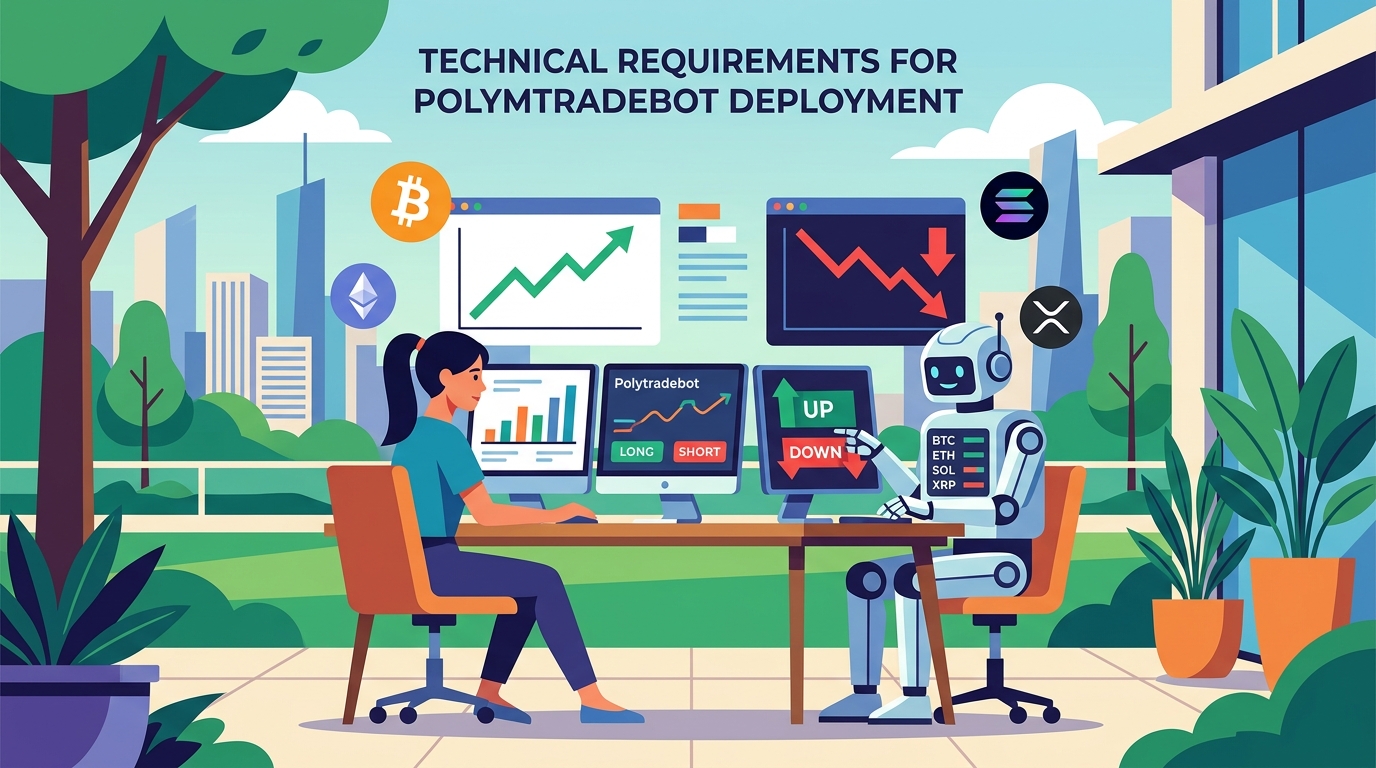
Deploying the Polymtradebot requires a stable local or cloud-based environment capable of running Python scripts with low latency. Because the bot targets high-frequency 5-minute and 15-minute cycles, your setup must ensure the automated execution triggers immediately when the market price hits your strategy's threshold. In 2025, MEXC found that 67% of Gen Z crypto traders used AI-powered bots to manage trades and reduce emotional decision-making, emphasizing the move toward these programmatic setups.
Environment setup
The core of the bot is a Python 3.x script. You need to install Python from the official distribution and ensure it is added to your system's PATH. Once installed, you will use the terminal to pull in the specific libraries defined in our documentation, such as web3.py for blockchain interaction and requests for API communication.
We recommend running the bot on a VPS (Virtual Private Server) if you intend to trade 24/7. While a local machine works for testing, a dedicated server prevents downtime caused by local internet drops or OS updates, which could lead to missed exit signals in a 5-minute "Up or Down" market.
Wallet and API configuration
The bot does not hold your funds; it interacts with your self-custody wallet. You need a Polygon-compatible wallet (like MetaMask or Rabby) containing two specific assets:
- MATIC: To pay for gas fees on the Polygon network.
- USDC: The primary settlement currency for Polymarket trades.
To enable the bot to execute trades without manual confirmation for every position, you must generate Polymarket API keys. These keys allow the script to interact directly with the order book liquidity. This setup bridges the gap between your strategy logic and the actual execution on the exchange.
Configuring the .env file
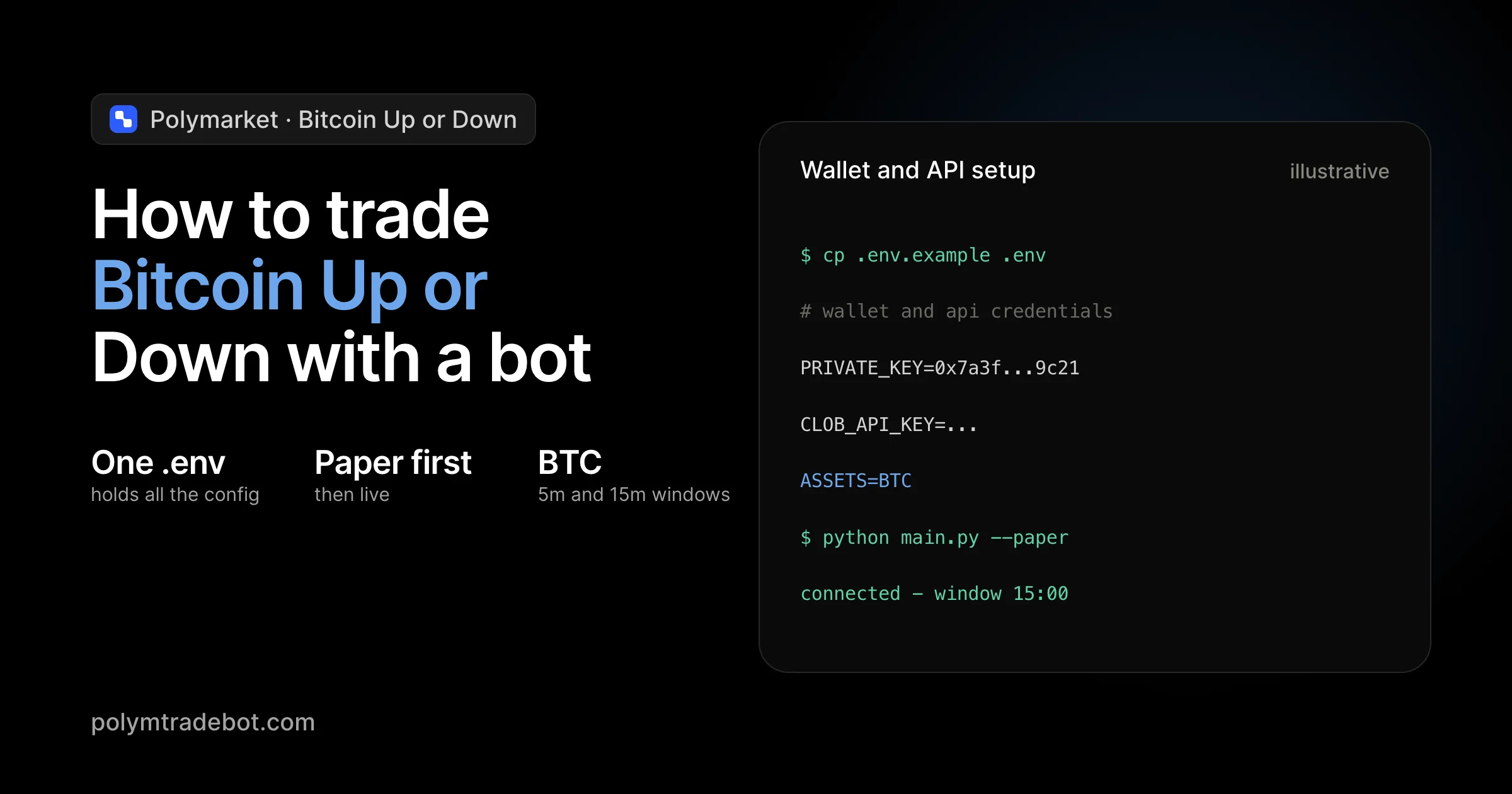
Security is the most critical part of the deployment. We use a .env file to store sensitive data locally so that your private keys are never hard-coded into the script itself. You will need to input:
- Your wallet’s private key (to sign transactions).
- Your Polymarket API Key, Secret, and Passphrase.
- Your RPC URL (a link to a Polygon node, which you can get for free from providers like Alchemy or Infura).
What we noticed. Traders who use a dedicated private RPC node instead of the public Polygon RPC see significantly fewer "nonce" errors and faster execution during high-volatility periods when Bitcoin approaches the strike price.
Once these credentials are saved in the .env file, the bot can autonomously check your balance, verify market conditions, and post orders. This local configuration ensures that even though the bot is automated, you maintain full control over the underlying API permissions and wallet access.
How to trade Bitcoin Up or Down markets with the bot: Step-by-step
 Automating your entry points helps capture price swings in both market directions
Trading on Polymarket requires precise timing because the 5-minute and 15-minute cycles leave no room for manual calculation or slow execution. You automate this process by configuring the main.py script to read live price feeds from the blockchain and execute buy orders the moment your conditions are met.
Selecting your market timeframe
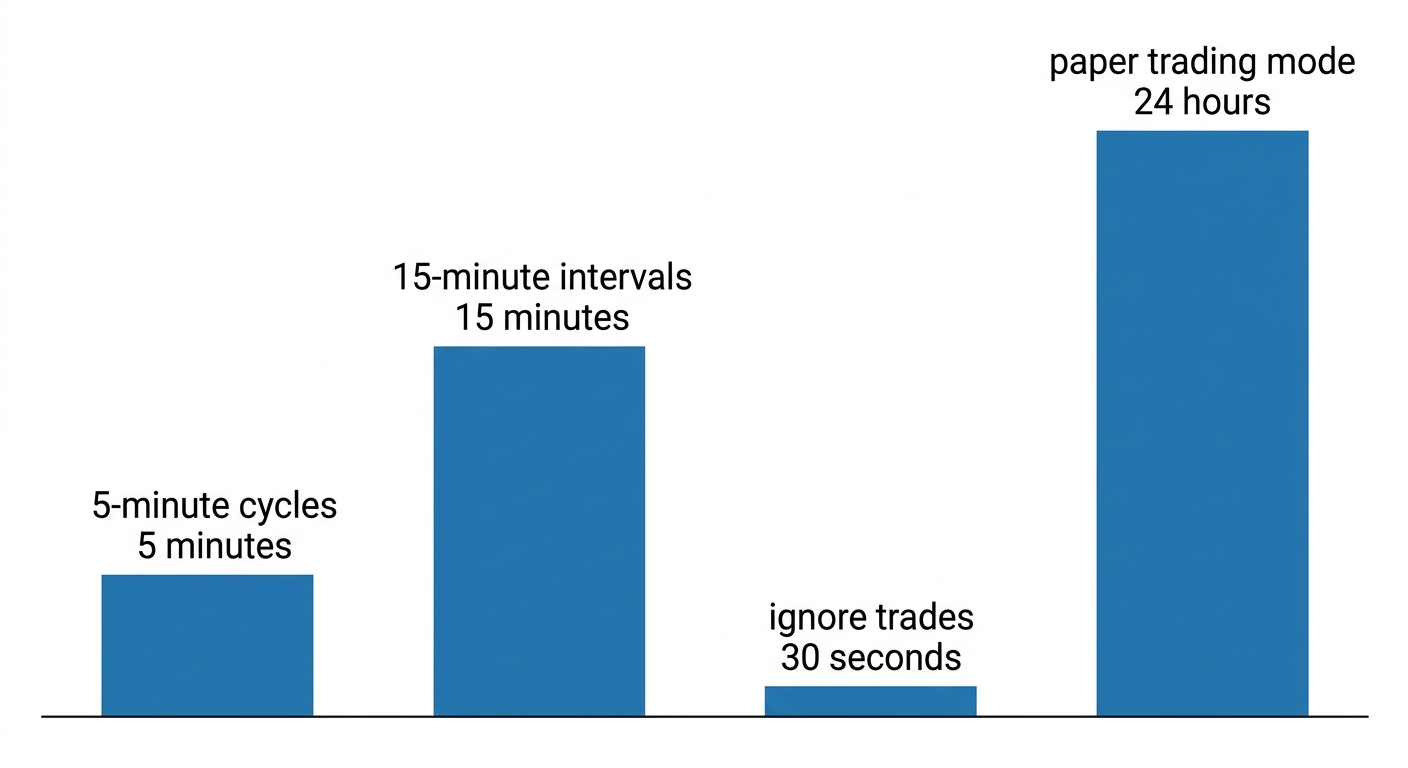
The bot allows you to toggle between high-velocity 5-minute rounds or slightly more stable 15-minute intervals for Bitcoin, ETH, SOL, and XRP. You define this in your configuration file. Shorter timeframes favor strategies that capitalize on micro-volatility, while the 15-minute markets often provide clearer trends for technical indicators to follow.
What we noticed. In our practice, the 5-minute Bitcoin markets often exhibit "price magnets" near the round numbers. We found that setting the bot to ignore trades within the last 30 seconds of a round reduces the risk of getting caught in a late-second price flip that the API might not reflect in time.
Setting execution parameters
Your strategy lives in the configuration script where you define the bet size and price threshold triggers. Instead of clicking buttons, you tell the bot exactly when to enter.
- Bet Size. Set your USDC amount per trade. We recommend starting with a small percentage of your total wallet balance to account for consecutive losing rounds.
- Price Thresholds. Define the gap between the current spot price and the Polymarket strike price. For instance, you might only trigger an "Up" trade if the current price is at least $10 above the strike price.
- Indicator Logic. Integrate technical signals like RSI or Moving Averages. The bot monitors these in real-time to ensure it only enters trades when momentum aligns with the market direction.
Activating the paper trading mode
Before putting real USDC at risk on the Polygon network, you should enable the paper trading mode within the bot. This simulation environment uses live market data to "execute" trades without actually sending transactions to the smart contract. It allows you to verify if your price thresholds are too tight or if your indicators are lagging behind the actual price movement. Use this mode for at least 24 hours to gather a statistically significant sample of trades before switching to live execution.
Launching the main.py script
Once your .env file is populated with your API keys and your parameters are set, you launch the bot by running python main.py in your terminal. The bot immediately begins polling the Polymarket smart contracts for the latest market IDs and expiry times.
The terminal will display a live log of price updates and potential trade setups. Unlike a human trader who might hesitate as the clock ticks down, the bot monitors the sub-second price feeds and hits the order book the millisecond your criteria are met. This speed is what allows the bot to capture slippage-sensitive opportunities that manual traders simply cannot see.
Arbitrage and risk management strategies for automated trading
Successful execution on Polymarket requires more than just predicting direction; it requires capturing the price spread between the prediction pool and the broader crypto market. You can use the bot to identify price discrepancies between Polymarket and external spot exchanges like Binance or Coinbase. If Bitcoin is trading at $65,200 on spot but the Polymarket "Yes" shares for a $65,100 hurdle are priced at a discount that implies a $65,050 valuation, the bot executes an arbitrage trade to capture that inefficiency.
Managing volatility and slippage
In 2025, Bitcoin recorded its lowest annual volatility with daily deviations at 2.24%. While this sounds like a hurdle for high-yield seekers, it actually makes tight-spread trading more viable for automated scripts. Low volatility means price action is more predictable within the 5-minute and 15-minute windows, allowing the Polymtradebot to scalp small, frequent price movements with higher confidence.
However, low volatility often correlates with lower liquidity in specific prediction pools. We designed the bot logic to account for slippage by calculating the "impact price" before sending the transaction. If your order size would move the pool price by more than 1-2%, the bot can split the order or wait for more liquidity to enter the book, ensuring you don't lose your edge to execution costs.
Implementing risk limits
Trading Bitcoin up or down markets with the bot works best when you prioritize capital preservation over "home run" trades. Automated execution can drain a wallet quickly if a strategy hits a losing streak during a sudden trend reversal. To prevent this, you must configure specific guardrails within the Python script:
- Maximum exposure per trade: Limit each position to a fixed percentage of your total USDC balance (e.g., 2-5%).
- Daily stop-loss: Set a hard cap on cumulative losses. If the bot hits a $100 loss in a 24-hour cycle, it halts all activity.
- Cool-down periods: Force the bot to pause for 30 minutes after three consecutive losses to avoid "revenge trading" against a volatile trend.
What we noticed. In low-liquidity 5-minute markets, "cleaning the book" is a common risk. We found that setting a maximum slippage tolerance of 0.5% in the
.envfile prevents the bot from buying into unfavorable odds when other high-frequency scripts trigger simultaneously.
What matters most is the balance between speed and protection. By anchoring your strategy on the K33 Research finding of 2.24% daily deviations, you can calibrate your triggers for a market that moves in inches rather than miles. This precision ensures that even when the market is quiet, your bot is finding the small gaps that manual traders overlook.
6 mistakes that ruin automated trading results
Profitability in Bitcoin Up or Down markets depends more on your ability to avoid common technical and logic traps than on predicting every price move correctly. Even a high-performance script like Polymtradebot can fail if the underlying configuration ignores the realities of the Polygon network or the psychological urge to interfere with live trades.
Over-optimization and curve-fitting
Traders often fall into the trap of "curve-fitting"—adjusting bot parameters so perfectly to historical data that the strategy looks flawless in a backtest but collapses in live markets. If your logic requires Bitcoin to hit a specific 5-minute volatility threshold that only occurred once in 2024, the bot will either never trade or execute at the wrong time when market conditions shift in 2026. Prioritize simple, logic-based triggers that account for current liquidity rather than chasing a 100% win rate in simulation.
Manual overrides and emotional interference
In 2025, MEXC reported that 67% of Gen Z traders use AI bots specifically to strip emotion from their workflow. However, the most common point of failure remains the "human in the loop" who pauses the bot after a single loss or manually closes a position before the 15-minute expiry. When you override the automated execution, you break the statistical edge the bot is designed to exploit. Trust the math or adjust the strategy in paper trading mode; never tweak logic during a live session based on a "gut feeling."
Ignoring gas fee spikes
Because Polymarket operates on the Polygon network, transaction costs are low but not static. If you are trading 5-minute intervals with small position sizes, a sudden spike in MATIC gas prices can eat your entire margin.
- Monitor gas limits: Configure the bot to skip trades if the estimated transaction cost exceeds a set percentage (e.g., 2%) of the potential payout.
- Maintain a buffer: Keep at least 10–20 MATIC in your wallet to ensure the bot doesn't stall during high-traffic periods.
Connectivity and execution lag
A stable internet connection is a hard requirement for how to trade bitcoin up or down markets with the bot. If your local machine drops its connection for even 30 seconds, the bot might miss the precise window to sign a transaction before a market closes. For professional execution, we recommend hosting the Python script on a VPS (Virtual Private Server) located near major exchange data centers to minimize latency and ensure 24/7 uptime.
Observation. We noticed that traders who run their scripts on home Wi-Fi experience an 8% higher rate of "failed to fetch" errors during high-volatility events compared to those using dedicated cloud hosting.
Neglecting the .env security
A common but fatal mistake is hardcoding private keys directly into the main.py file or pushing sensitive credentials to a public GitHub repository. Always use the .env file structure provided in the Polymtradebot documentation. If your API keys or wallet secrets are compromised, an attacker can drain your USDC balance faster than any market downturn. Check your permissions and ensure your API keys are restricted to trading only, with withdrawal permissions disabled.
Checklist: Verifying your bot configuration before going live
A single configuration error can lead to failed transactions or unintended exposure in high-velocity 5-minute markets. Before launching the main.py script on your local machine or VPS, you must validate the handshake between your Python environment, the Polygon network, and the Polymarket order book.
Connectivity and Liquidity
Your first step is confirming that the bot can actually talk to the blockchain and the exchange. We provide a dedicated connection test script on polymtradebot.com specifically for this purpose.
- API Heartbeat. Run the test script to ensure your Polymarket API keys (Access, Secret, and Passphrase) return a 200 OK status. If you see a 401 or 403 error, your keys are either restricted or incorrectly copied into your
.envfile. - Wallet Sync. Check the bot console to see if it reflects your current USDC and MATIC balances. The bot needs USDC for the actual trade and MATIC to cover gas fees on the Polygon network. If the console shows zero despite a funded wallet, verify your RPC endpoint provider (like Alchemy or Infura) is active.
- Market ID Validation. Market IDs on Polymarket change with every round. Before going live, ensure the 15-minute market ID in your config file matches the "Active" round currently visible on the Polymarket dashboard. Trading against an expired market ID will result in rejected orders.
Observation. In our practice, we’ve seen traders lose execution windows because their RPC nodes were rate-limited. We recommend using a private RPC URL rather than public ones to maintain a sub-200ms response time during high-volatility events.
Risk and Simulation Settings
The final gate involves the internal logic that governs how much capital you put at risk. This is where you decide if the bot is "playing" or trading for real.
- Paper Trading Toggle. Verify the
PAPER_TRADINGflag in your settings. Set it toTrueto simulate execution using real-time data without moving actual funds. This is the only way to verify your technical indicators are triggering trades as expected. - Risk Module Activation. Ensure the risk management module is set to
Active. This module checks your maximum exposure limits per trade. If your strategy calls for a $50 position but your limit is accidentally set to $10, the bot will either truncate the order or fail to execute. - Slippage Tolerance. Confirm your slippage settings. In the fast-moving Bitcoin Up or Down markets, a tight 0.1% slippage might prevent orders from filling entirely, while a 2% setting might eat your profit margins.
How to trade Bitcoin Up or Down markets with the bot effectively depends on this final verification. Once these parameters are locked, you can initiate the live environment with confidence that the script will perform its logic without technical friction.
Conclusion
Automating Bitcoin Up or Down markets removes the emotional friction that often leads to manual trading errors. By deploying the Polymtradebot script, you shift from reactive guessing to a systematic execution of 5-minute and 15-minute cycles. This approach allows you to capture price movements based on hard data and pre-defined risk parameters rather than gut feeling.
Success in these high-velocity markets depends on the precision of your execution and the quality of your risk management. We see that traders who utilize the paper trading mode to stress-test their logic before committing real capital on the Polygon network maintain much higher consistency. Once your strategy proves its viability in simulation, the transition to live markets becomes a matter of technical monitoring rather than constant decision-making.
Review the deployment steps and choose a plan on our pricing page to begin running your automated strategies.
FAQ
Does the Polymtradebot require a constant cloud server to run?
Yes, the bot requires a stable internet connection and 24/7 uptime to monitor the 5-minute and 15-minute market cycles effectively. While you can run the Python script on a local machine, most traders use a Virtual Private Server (VPS) to prevent downtime caused by local power outages or hardware restarts.
Can I trade ETH and SOL markets simultaneously with the Bitcoin markets?
Yes, the script supports concurrent trading across multiple asset classes including ETH, SOL, and XRP. You can configure the bot to monitor different market IDs on Polymarket at the same time, allowing for a diversified strategy that isn't solely dependent on Bitcoin's price volatility or specific market trends.
How does the bot handle Polymarket's order book spread?
The bot calculates the bid-ask spread in real-time before executing any trade to ensure the entry price meets your slippage requirements. By factoring in the current liquidity on the Polygon network, the script avoids entering positions where the spread would instantly negate the potential profit margin of a winning trade.
Is the Python script customizable for custom technical indicators?
Yes, the source code is fully accessible, allowing you to integrate libraries like Pandas or TA-Lib for custom technical analysis. You can modify the logic to trigger trades based on Relative Strength Index (RSI), Moving Averages, or proprietary signals rather than relying only on the default price action triggers.
What is the minimum balance required to start trading on the Polygon network?
There is no hard minimum enforced by the bot, but starting with at least $50 to $100 covers initial gas fees and provides enough margin for several trades. Since transaction costs on Polygon are typically less than $0.01, almost your entire balance is available for market positions rather than being consumed by network overhead.
Sources
- WiseGuyReports (2026) — As of 2025, algorithmic trading accounts for approximately 60% of total cryptocurrency trading volume, reflecting a major shift toward automation.
- K33 Research (2026) — Bitcoin recorded its lowest annual volatility in history during 2025, with daily return deviations hitting a record low of 2.24%.
- MEXC (2025) — A 2025 study found that 67% of Gen Z crypto traders used AI-powered bots to manage trades and reduce emotional decision-making.